Skip to content

Backup software I use
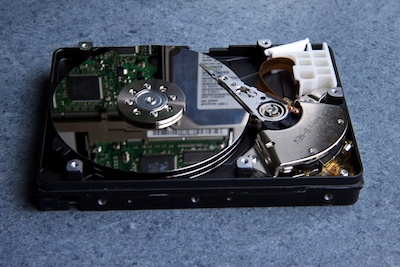
open HDD with visible platters I've talked about why I think backups are necessary and how I organize them. So in this post I'm going to write about the software I use and why I chose this software.

I'm super lazy and forgetful when it comes to backups. That's why my backup process has to be fully automated. No plugging in of external drives, no buttons to press, no dialogs to confirm, no waiting after logging out. I want a backup whenever I'm connected to the same network as my backup drive.

Also since I have scans of my passport and other important documents on my laptop, all my data is encrypted.[^1]

Knowing my demands, finding the right software was actually quite easy.

Time Machine, which comes standard with every new Mac, is a great program, but it does not really work with encrypted drives and does not provide bootable backups.

An rsync script is super flexible. You can find many good tutorials, but it can be a pain to set up.

I tried CronoSync and Synk. Both can do all I want and more. In the end I chose Synk. I liked the user interface much more and the super steep student discount did also help.

Synk has a super easy interface, auto-mounts network drives and can create bootable backups.[^2]

Since Synk does not natively support Amazon S3 I also got Arq.[^3] It's not as powerful or flexible as Synk, but it works really well for backing up my really important data.

[^1]: If you use a desktop, encryption might not be all that important. [^2]: To create a bootable backup I need to plug the USB backup drive in -- which why it's usually hopelessly outdated [^3]: On Windows try CloudBerry
Kinds of Data and where I back them up

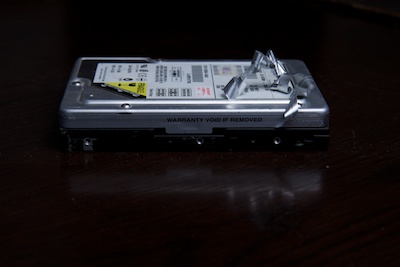
hdd with warranty void sticker half removed I don't want to loose data. I want to win the lottery and retire with a few million Euros at thirty-three.
That's why I play the lottery when there is a big jackpot, but onto the less exciting topic of keeping my data save.

I use two different storage mediums for backups:

Amazon S3 -- off site highly secure storage designed for 99.999999999% durability. There are cheaper solutions, but I'm not going to trade reliability for price -- especially considering that at the moment I only pay about fifty cents per month for Amazon S3.

My local storage is a 6TB NAS with double redundancy. Not as save as Amazon S3 but a lot better than an external USB drive.

Which brings us to the actual Data I want to store.

Really valuable data

Backed up to Amazon S3 and the NAS. Luckily this is only a few gigabytes, so it's really cheap.

Every day data

A fully automated backup of my home directory to the NAS.

Terabytes of archived data

A rapidly growing pool of photos and old research data -- definitely too big for the cloud.

Once something is not every day data anymore I manually copy it to the NAS and delete it from my computer. Thus leaving me with a single, but relatively secure copy on a double redundant system.

Extra Bonus

Whenever I plug a specific external USB drive in, a complete bootable backup is created on that disk. Since this is something I have to do manually it's usually quite outdated. Still with the data from my server I could be working as soon as I have access to another computer.

Final words

I don't believe this is overkill. My backups are always current and I don't have multiple outdated copies cluttering my devices. Remember a single backup drive will not keep your data safe for the next forty years.

*[NAS]: Network-attached storage *[double redundancy]: Two random HDDs can be destroyed and I'll still keep all my data

Why Backups

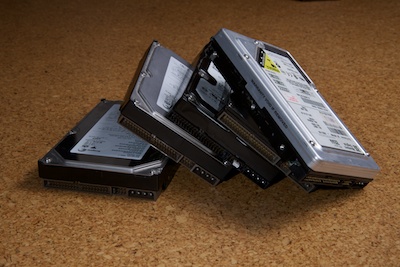
pile of hdd My girlfriend and I not only enjoy taking photos, but we also relinquish in leaving through old photos. Starting with my grandparents' youth, over my parents' high school and wedding photos up to my final year in high school it's all there on Film.[^1]

Then I got a digital camera and for the next five years there are no more pictures. In 2003 a simple hard drive crash destroyed all my digital photos.

It was a bitter pill to swallow, but it was a valuable lesson.

Hard drives die -- preferably when you have important data, looming deadlines and no backups.

Go on and ignore me, but in the last month I've personally witnessed the death of five HDDs and heard of four more that happened to my close friends. In one case the main hard drive died. So they tried to restore form the backup, only to notice that the backup disk had problems as well.

I'm very sure that within the next two years one of my friends will loose data due to a hard drive problem. For a scary graph you should look at some figures about RAID reliability.

So within the next two years you might loose your work data, your photos, your music and all the other stuff you take for granted.

Except for sheer luck there is only one way to avoid this -- a reliable[^2] backup solution.

I'm not all that great when it comes to backups and computer safety but in the next couple of posts I'll try to explain what I did to secure my data and why I think it works well (for me).

[^1]: I will always remember how I took a camera on my graduation trip and forgot to insert a film, so all I have are 4-5 photos shot by friends [^2]: I don't consider an external USB drive reliable.